color
unreviewed draftScales each RGBA channel of the image; negative values invert a channel before scaling it.
.color( r = 1, g = 1, b = 1, a = 1 )color transform
What it does
Section titled “What it does”color is a color function: it runs per pixel after the earlier part of the chain has produced a color
(one of red, green, blue or alpha), with argument for that channel:
So positive values are a plain gain (tint/dim/brighten) and negative values are a scaled inversion.
color(-1, -1, -1) is the same as invert(). Each channel is independent, so color(1, -1, 1) inverts
green only.
All four arguments default to 1, so any you leave out are untouched: color(0.5) halves red only,
which tints the image cyan.
The result is not clamped inside the chain, but every output buffer stores 0–1 per channel, so gains above 1 saturate when written out.
color source in glsl-functions.js (hydra-synth 1.4.0) ↗
Examples
Section titled “Examples”osc(20, 0.1, 0).color(1, 0.4, 0.2).out()osc(20, 0.1, 1.5).color(1, -1, 1).out()osc(10, 0.1, 1).color(() => 1 + Math.sin(time), () => 1 + Math.sin(time), () => 1 + Math.sin(time)).out()Parameters
Section titled “Parameters”Multiplies each channel by its argument; a negative argument multiplies the inverted channel by its absolute value.
| Parameter | Default | Useful range | Units | No-op at |
|---|---|---|---|---|
r | 1 | -2 … 2 | multiplier (unitless) | 1 |
g | 1 | -2 … 2 | multiplier (unitless) | 1 |
b | 1 | -2 … 2 | multiplier (unitless) | 1 |
a | 1 | -1 … 1 | multiplier (unitless) | 1 |
r= 1
Red multiplier. Negative values use the inverted red channel, .
- Useful range
- -2 … 2
- Units
- multiplier (unitless)
- No-op at
1- Negative values
- :
-1is a pure inversion of red,-0.5an inverted and dimmed red - Accepts
- number · array · function
Values above 1 brighten, but anything past 1.0 is clipped when the result is written to an output,
so a channel that is already bright saturates to full.
0 and -0 give the same result (black in that channel) — both formulas multiply by .
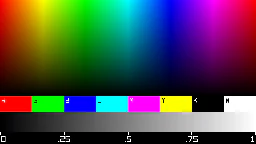 1
1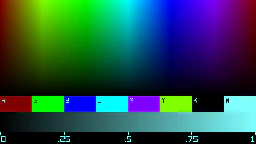 0.5
0.5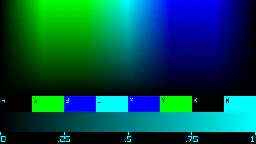 0
0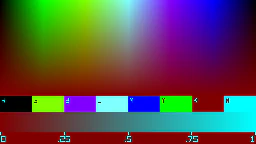 -0.5
-0.5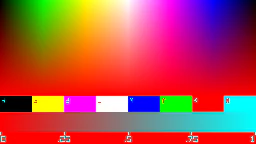 -1
-1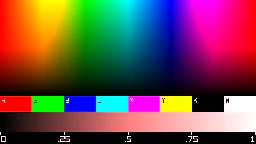 2
2r (still at time = 0): s0.initImage("https://hydra-ref.audiodude.xyz/cards/color-chart.png")
src(s0).color({r}, 1, 1, 1).out()
· outlined tile = defaultg= 1
Green multiplier; same rules as r.
- Useful range
- -2 … 2
- Units
- multiplier (unitless)
- No-op at
1- Negative values
- Accepts
- number · array · function
1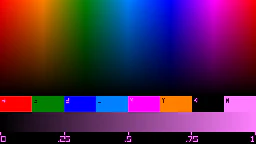 0.5
0.5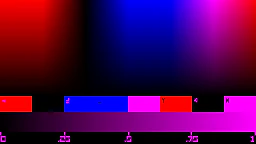 0
0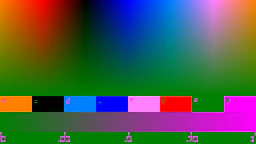 -0.5
-0.5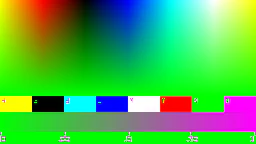 -1
-1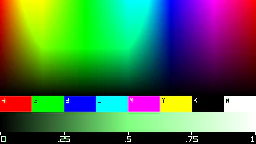 2
2g (still at time = 0): s0.initImage("https://hydra-ref.audiodude.xyz/cards/color-chart.png")
src(s0).color(1, {g}, 1, 1).out()
· outlined tile = defaultb= 1
Blue multiplier; same rules as r.
- Useful range
- -2 … 2
- Units
- multiplier (unitless)
- No-op at
1- Negative values
- Accepts
- number · array · function
1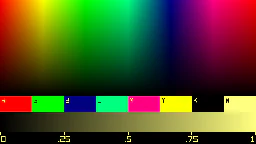 0.5
0.5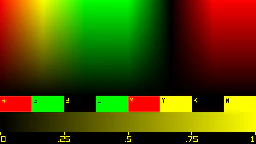 0
0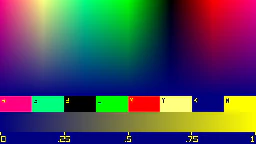 -0.5
-0.5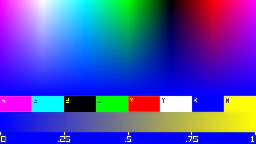 -1
-1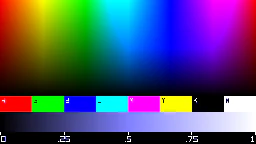 2
2b (still at time = 0): s0.initImage("https://hydra-ref.audiodude.xyz/cards/color-chart.png")
src(s0).color(1, 1, {b}, 1).out()
· outlined tile = defaulta= 1
Alpha multiplier; same rules applied to the alpha channel.
- Useful range
- -1 … 1
- Units
- multiplier (unitless)
- No-op at
1- Negative values
- ; on an opaque image any negative
agives alpha 0 - Accepts
- number · array · function
Alpha matters when this result is combined with another texture (e.g. layer, blend, mask).
Displayed directly, the browser composites the canvas over whatever page is behind it, so what a
lowered a looks like on its own depends on that page.
1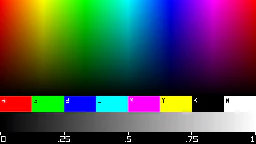 0.5
0.5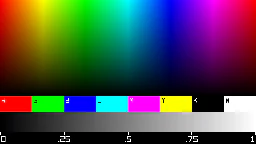 0
0a (still at time = 0): s0.initImage("https://hydra-ref.audiodude.xyz/cards/color-chart.png")
src(s0).color(1, 1, 1, {a}).out()
· outlined tile = defaultGotchas
Section titled “Gotchas”- Gains above 1 clip at the output, so
color(2, 2, 2)blows highlights out to white rather than stretching contrast. Usecontrast/brightnessfor that. 0and-0behave identically (both zero the channel).
Related
Section titled “Related”- Arguments & time: animating the channels with arrays and functions.
- modulate: uses red/green of another texture as displacement, so
coloron the modulator changes the direction of the warp.
Documents hydra-synth 1.4.0 (AGPL-3.0; this site runs it unmodified). Annotations drafted by Claude (Anthropic) from the hydra-synth source and checked against rendered output — see about. Site code AGPL-3.0, prose CC BY 4.0,source.