osc
unreviewed draftScrolling vertical sine-wave stripes; the offset splits red, green and blue apart into colored bands.
What it does
Section titled “What it does”osc is a source: it computes a color for every pixel from that pixel’s coordinate and the time. It
uses only the horizontal coordinate (0 at the left edge, 1 at the right; see
Coordinate space), so it always draws vertical stripes. Each channel is a sine
wave squeezed into the 0–1 range:
where is hydra’s time in seconds. Reading the phase term by term:
frequencyis how many radians the wave advances per screen width. One full stripe (bright → dark → bright) is radians, so you see stripes: about 9.5 with the default60.syncis added to , scaled by time: the pattern you would have seen at is now drawn at , so it slides left bysyncscreen widths each second.offsetis a phase shift applied with opposite signs to red and blue. Withoffset = 0all three channels are identical and the stripes are pure gray; increasing it pulls red and blue out of step with green, which is where the colors come from.
The stripes are soft (a sine, not a square wave) and every channel sweeps the full 0–1 range.
Because the formula is defined for every , osc keeps going outside the screen: zoom out with
.scale(0.5) and you see twice as many stripes, never a repeat or a black border.
osc source in glsl-functions.js (hydra-synth 1.4.0) ↗
Examples
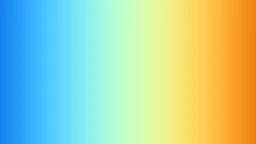
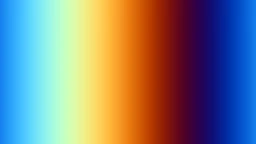
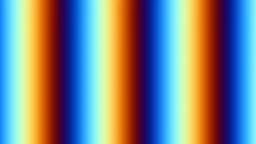
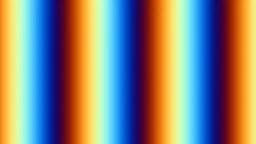
Section titled “Examples”osc(30, 0.05, 2.09).out()osc(2 * Math.PI * 5, 0.1, 0.8).rotate(Math.PI / 2, 0).out()osc(60, -0.015, 0.3).diff(osc(60, 0.08).rotate(Math.PI / 2, 0)).out()osc(20, 0.1, 0).thresh(0.5, 0).out()The third example works because diff takes the absolute difference of the two stripe patterns; where
the vertical and horizontal stripes agree you get black, where they disagree, color.
Parameters
Section titled “Parameters”Vertical sine stripes that scroll sideways over time; offset phase-shifts red and blue in opposite directions.
| Parameter | Default | Useful range | Units | No-op at |
|---|---|---|---|---|
frequency | 60 | -100 … 200 | radians per screen width; = stripes across the screen | none (there is no "off" value; 0 is undefined, see below) |
sync | 0.1 | -2 … 2 | screen widths / second (the pattern crosses the screen in s) | 0 (still stripes) |
offset | 0 | -6.2832 … 6.2832 | radians of phase (a full stripe = ) | 0 (or any multiple of ): all three channels equal, so the stripes are gray |
frequency= 60
How tightly packed the stripes are, in radians of the sine wave per screen width.
- Useful range
- -100 … 200
- Defined for
frequency≠ 0 (red and blue computeoffset / frequency)- Units
- radians per screen width; = stripes across the screen
- No-op at
- none (there is no "off" value;
0is undefined, see below) - Negative values
- inverts the colors and swaps red with blue (exactly , , ); motion direction is unchanged
- Accepts
- number · array · function
The stripe count is , so the default 60 gives about 9.5 stripes, and
2 * Math.PI * n gives exactly n. Whole-number counts matter when the pattern is wrapped by
scroll, src() feedback or repeat: otherwise there is a visible seam where the last partial stripe
meets the first.
Stripes are counted per screen width, whatever the canvas size or shape: a wider canvas gets wider stripes, not more of them.
0 divides by zero in the red and blue channels. In headless Chrome (SwiftShader) it renders flat gray
(128, 128, 128), with or without an offset; other GPUs may differ.
 3.1416
 6.2832
 20
20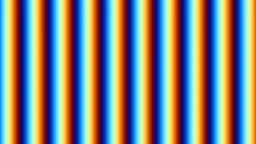 60
60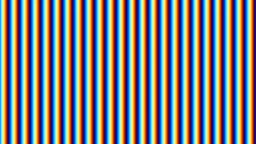 150
150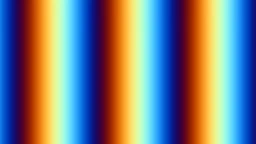 -20
-20frequency (still at time = 0): osc({frequency}, 0, 1).out()
· outlined tile = defaultsync= 0.1
Scroll speed of the stripes, in screen widths per second. Positive moves them left.
- Useful range
- -2 … 2
- Units
- screen widths / second (the pattern crosses the screen in s)
- No-op at
0(still stripes)- Negative values
- stripes move right
- Accepts
- number · array · function
The phase is , so the whole pattern slides left by
sync screen widths every second. The same stripes also flicker at a fixed pixel, at
times per second: the default osc(60, 0.1) pulses about
0.95 times a second. To make the pattern flash faster without changing how fast it travels, you have to
raise frequency (more, narrower stripes).
Because sync multiplies an ever-growing time, changing it (or frequency) while running makes the
stripes jump to a new position rather than smoothly change speed.
sync (3s loops): osc(20, {sync}, 1).out()
· outlined tile = defaultoffset= 0
Splits the color channels apart. Red's wave is shifted by radians, blue's by , green never moves.
- Useful range
- -6.2832 … 6.2832
- Units
- radians of phase (a full stripe = )
- No-op at
0(or any multiple of ): all three channels equal, so the stripes are gray- Negative values
- swaps the roles of red and blue
- Periodic
- every (6.283…);
1and1 + 2πrender identically - Accepts
- number · array · function
It is not a position offset: green stays put, red shifts right and blue shifts left, each by screen widths. Where the waves disagree you see color.
0: gray stripes.Math.PI(): red and blue are the exact opposite of green, so green stripes alternate with magenta ones.2.094(): the three channels are evenly spaced a third of a cycle apart, giving the most rainbow-like hues.- Small values (0.1–0.5) give gray stripes with red and blue fringes on their edges.
The shift is in phase, so the same offset gives the same colors at any frequency.
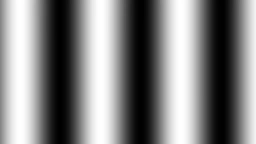 0
0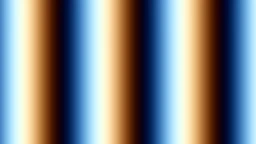 0.51
0.51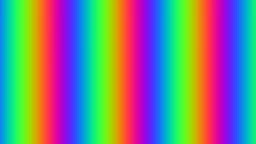 2.0944
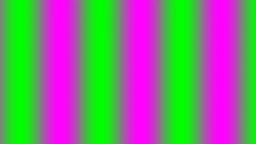 3.1416
 -1
-1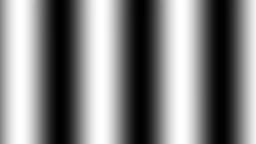 6.2832
offset (still at time = 0): osc(20, 0, {offset}).out()
· outlined tile = defaultGotchas
Section titled “Gotchas”- Stripes are counted per screen width and never aspect-corrected: on a 16 : 9 canvas the same
oschas wider stripes (in pixels) than on a square one. - Changing
frequencyorsyncwhile the clock has been running a long time makes the pattern jump: both multiplytimeinside the phase. Animateoffsetor use a function argument that keeps its own accumulator if you need smooth changes. - Wrapping an
osc(withscroll,repeat,src(o0)feedback) shows a seam unless the stripe count is a whole number: usefrequency = 2 * Math.PI * n. See the scroll quirk.
Related
Section titled “Related”- scroll: move the stripes by a fixed amount, or vertically.
- rotate: turn the stripes;
rotate(Math.PI / 2, 0)makes them horizontal. - Coordinate space: what is and why it runs 0–1 across any canvas.
- Arguments & time: what
timeis, and passing arrays or functions asoffset.
Documents hydra-synth 1.4.0 (AGPL-3.0; this site runs it unmodified). Annotations drafted by Claude (Anthropic) from the hydra-synth source and checked against rendered output — see about. Site code AGPL-3.0, prose CC BY 4.0,source.